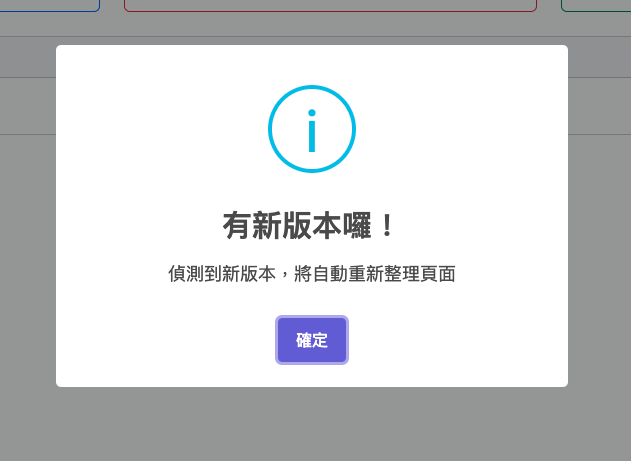
SPA 部署,新舊版靜態資源管理
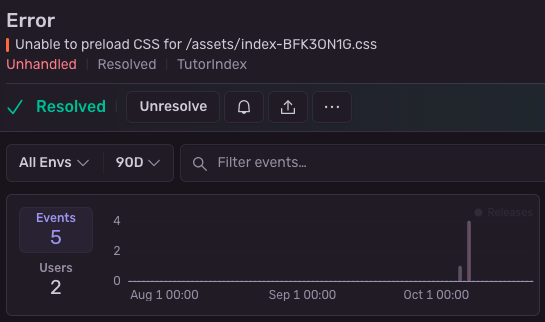
由於前端頁面每次在發佈一版的時候, JS 打包器會自動產生新的雜湊檔案( /assets/index-BYVyqdnB.css ),然後舊的雜湊檔案就會隨著部署而消失。當用戶還在瀏覽頁面的同時,如果有需要動態載入檔案,就會發生檔案不存在的情況。
解決辦法
- 對舊資源做短期保留,等用戶刷新後再清理
- 優點:可同時兼容新舊版
- 缺點:部署流程不容易設計,以及如何清除舊版本需要思考。
- 定期檢查,是否有版本更新。若是則重新載入新版本。
- 優點:只要稍微改動加入檢查即可
- 缺點:檢查的週期太長,可能還是會遇到找不到檔案。太短,可能請求量太多。而且重新載入版本,會影響使用者的體驗。
應該選擇哪一個方案?
….
….
….
….
….
….
….
….

短期保留舊資源
今年 3 月的時候,AWS Amplify 發布了一個功能, Skew Protection
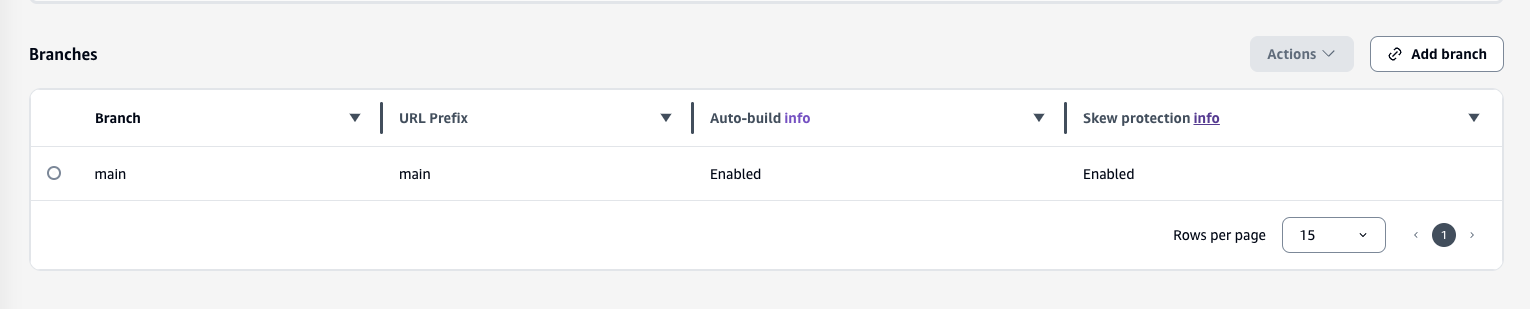
只需要簡單的從 Amplify 後台設定開啟即可。
選擇想要啟動的分支,然後把它啟用即可。
工作原理
- 開啟設定之後
Skew Protection後續發布的每一個版本會進行保留,至多保留八個版本。(建議開啟之後,重新發佈一個新版) - 在請求網頁的時候,系統會設定一個名為
__dpl的 Cookie ,上面記錄著最新的版本編號 - 後續請求任何資源,帶上這個 cookie,會傳回對應版本的靜態內容。
按官方文件說明,第一次開啟時由於配合相關的 CDN 設定變更,大約十分鐘後才會開始生效。
檢查新版
首先為每一個版本產生版本檔案,可以在部署的時候,根據 git commit hash 建立。
底下修改 package.json 的 build 來實現
"-- 舊 --"
"build": "vite build",

"-- 新 --"
"build": "vite build && git rev-parse --short HEAD > dist/assets/version.txt",
然後在 main.js 的部分,加入檢查的邏輯
if ("production" === import.meta.env.VITE_APP_ENV) {
  const LOCAL_KEY = "app-version";

  async function checkVersion() {
    const res = await fetch("/assets/version.txt", {
	    cache: "no-store"
	   });
    const version = await res.text()
    if (!version) {
      return;
    }

      const current = sessionStorage.getItem(LOCAL_KEY);
      if (!current) {
        sessionStorage.setItem(LOCAL_KEY, version);
        return;
      }
      if (version !== current) {
        sessionStorage.setItem(LOCAL_KEY, version);
        location.reload(true);
      }
  }

  checkVersion();
  setInterval(checkVersion, 60000);
}
一般來說,上述的寫法就能達到檢查的作用。但是在開啟 Skew Protection 之後,每一個靜態資源的存取,只會拿到特定版本的內容。無法透過上述方法取得最新的版本(瀏覽器會自動帶上 cookie)。所以需要透過設定 credentials: 'omit' 避免 cookie 內容送出
    const res = await fetch("/assets/version.txt", {
	    cache: "no-store"
	    credentials: 'omit'
    });
需要認證表頭,但不需要 Cookie
管理系統登入的時候會需要填入第一道密碼,隨後填入的第一道密碼會透過瀏覽器自動設定 Authorization header
Authorization: Basic xxxxxxxxxxxxxxxx
但是當我們設定 credentials: 'omit' 的同時,也避免了 Authorization header 被送出。此時就會造成該靜態資源無法存取。所以我們需要建構一個新的 Header 包含原本的 Authorization,但是不要送出 Cookie。
首先瀏覽器的安全性設計,會有底下限制:
-
你無法取得請求送出時由瀏覽器帶上的 Header,所以無法知道
Authorizationheader 是什麼。 -
你無法修改一個被設置為 HttpOnly 的 Cookie

所以無奈只能移除 credentials: 'omit' 。
讓 Amplify 後端提供最新版本號到表頭
解決上述問題的思路,就是要能夠 動態 的取得新的版本號。 Amplify 當然有能力建構後端的 API,但最後我選擇一個比較輕量的解決方案。在回傳的表頭帶上最新的版本號。
customHttp.yml
Amplify 有提供一個功能可以自訂請求要回應的表頭內容,透過在根目錄放置 customHttp.yml
customHeaders:
  - pattern: '/assets/version.txt'
    headers:
    - key: 'X-Version'
      value: 'XXXXXXX'
但由於版本號每次都不同,所以需要動態的產生 customHttp.yml。
首先透過在根目錄建立 customHttp.template.yml
然後透過 amplify.yml 使用 envsubst 自動替換環境變數
customHeaders:
  - pattern: '/assets/version.txt'
    headers:
    - key: 'X-Version'
      value: '$AWS_AMPLIFY_DEPLOYMENT_ID'
amplify.yml
這邊透過精確的控制 amplify 建構過程來完成這事情。透過在根目錄放置 amplify.yml 可以完整的操作建置的每一個動作。
version: 1
frontend:
  phases:
    preBuild:
      commands:
        - envsubst < ./customHttp.template.yml > ./customHttp.yml
        - yarn install --frozen-lockfile
    build:
      commands:
        - yarn build
  artifacts:
    baseDirectory: dist
    files:
      - '**/*'
  cache:
    paths:
      - node_modules/**/*
最後透過修改原本的 JS 檢查版本邏輯,從 header 取得最新版本。
// 舊
async function checkVersion() {
    const res = await fetch("/assets/version.txt", { cache: "no-store" });
    const version = await res.text()
    if (!version) {
      return;
    }
}

// 新
async function checkVersion() {
    const res = await fetch("/assets/version.txt", { cache: "no-store" });
    const version = res.headers.get('X-Version')
    if (!version) {
      return;
    }
}
最後加上一些 GUI,提醒有版本的更新。